Set up in minutes.
Get the app, mount the sensor, and you are done. Everything you need is on this page.
Get the apps




Scan with your phone camera, or tap on your phone.
Install your radar
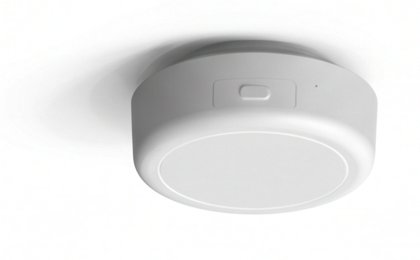
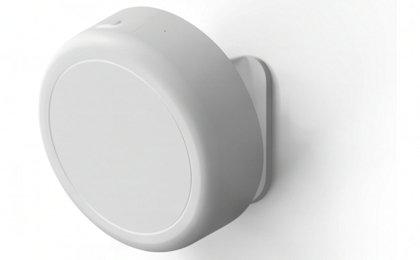
Bathroom: rest it on the mirror or the door frame
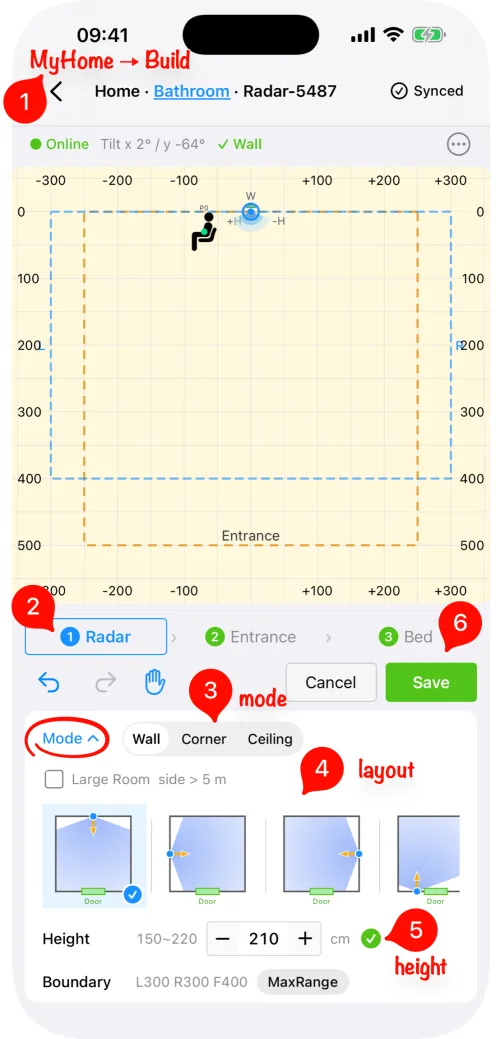
No drilling, no ladder. In the owlCare app, set the height to 210 cm for either spot.
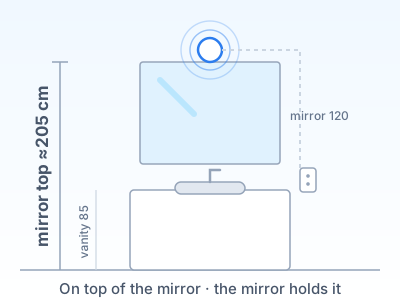
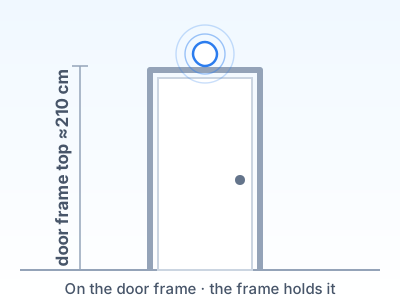
Standard sizes — if yours differ, measure from the floor to where the radar sits. Keep 1 m (3 ft) from exhaust fans and 50 cm (20 in) from heat lamps. A toilet in its own closet needs its own sensor.
Bedroom: on the wall at the head of the bed, about 160 cm, or on the ceiling above the bed.
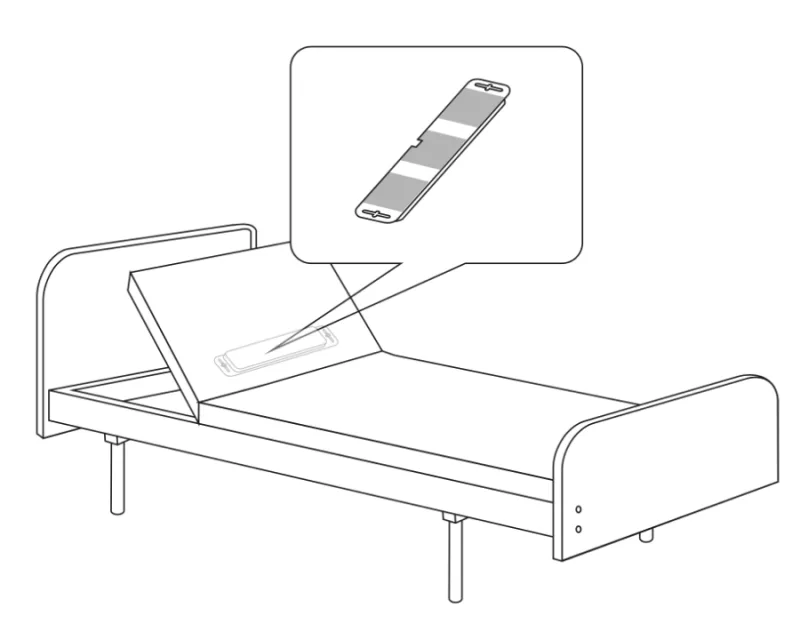
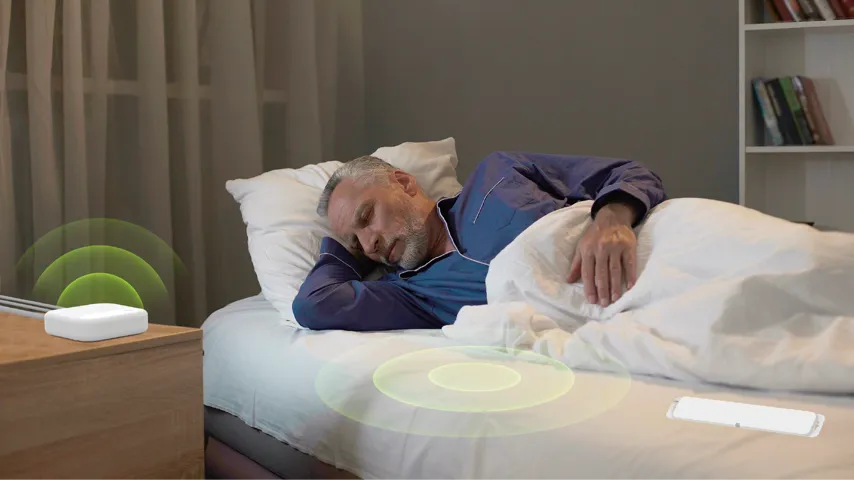
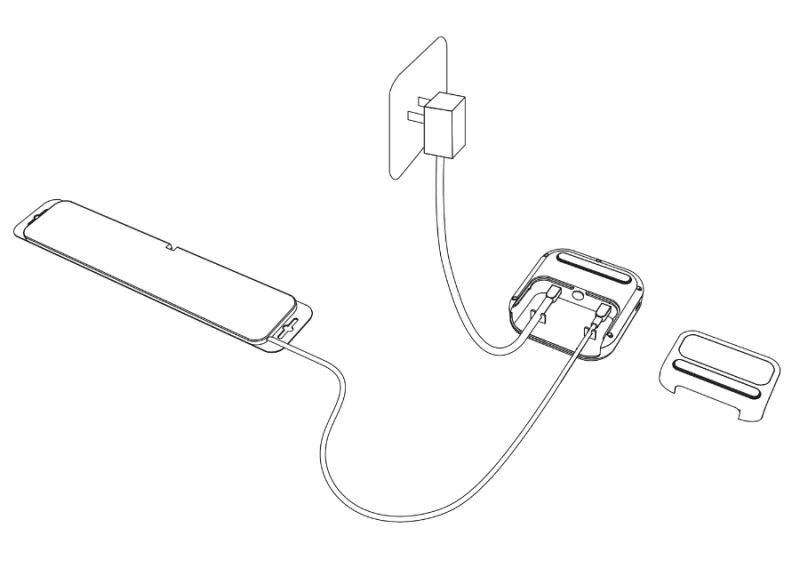
Full installation guide arrow_forwardInstall your sleep pad
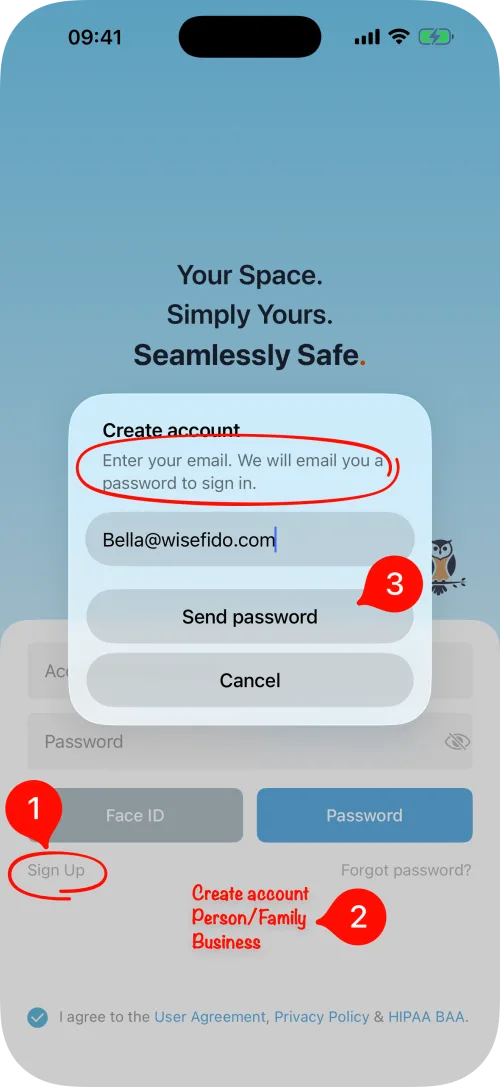
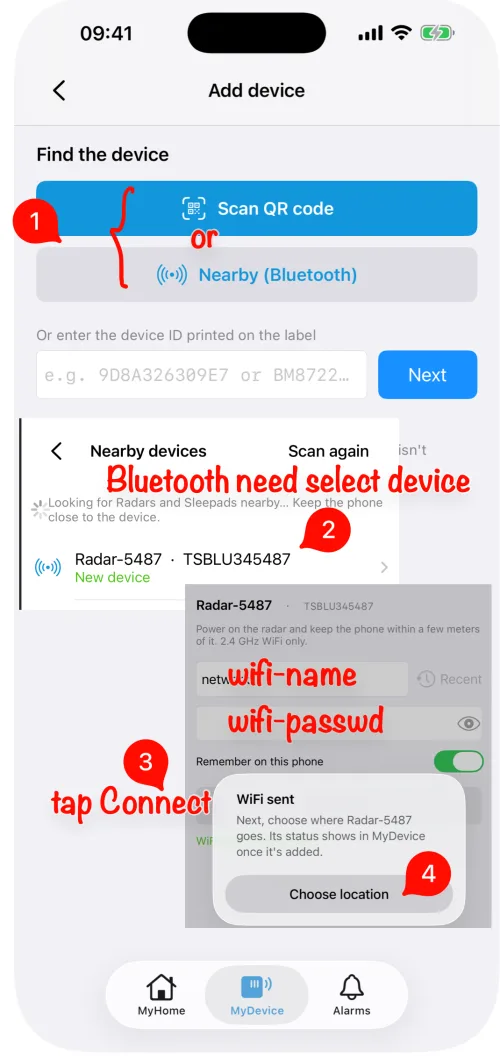
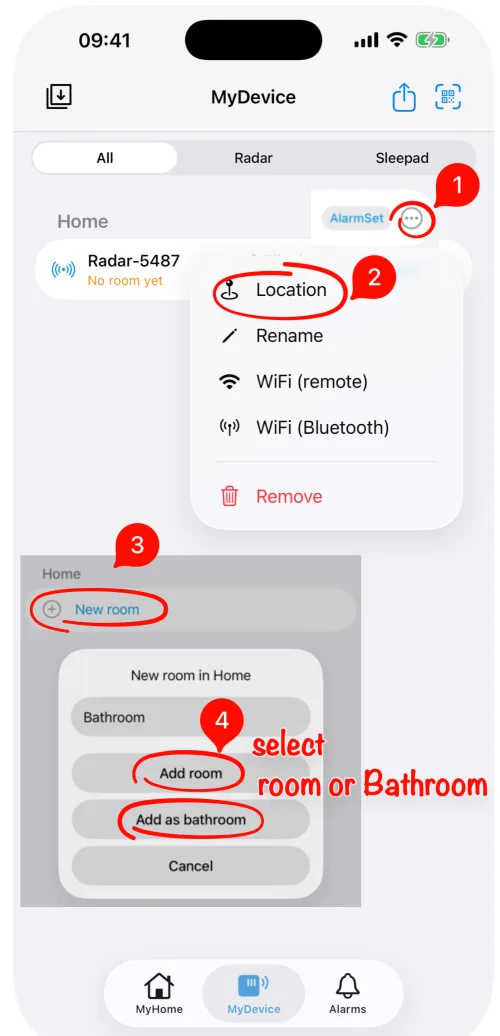
Set up in the app
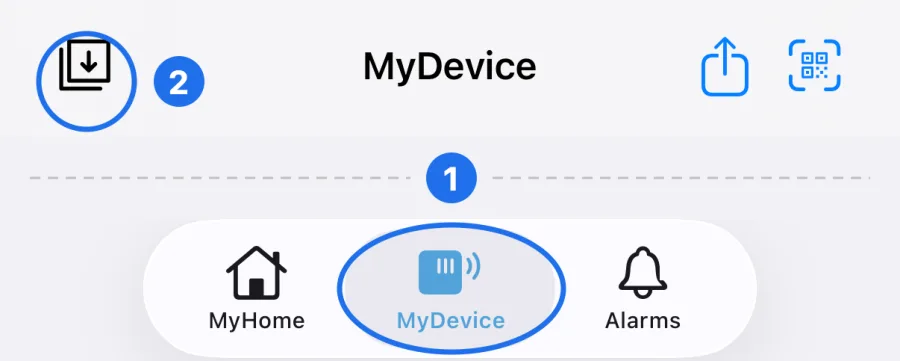
A few short steps, the same for the radar and the sleep pad.
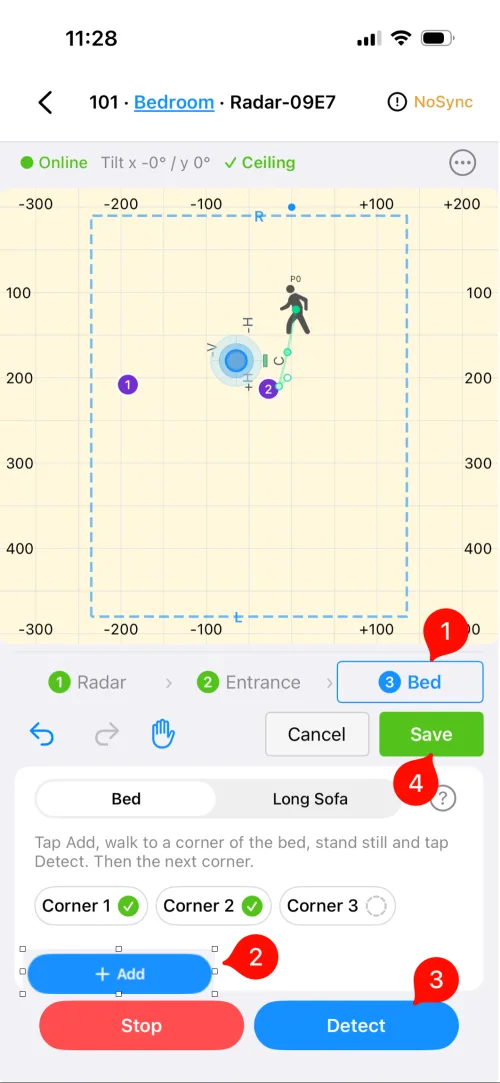
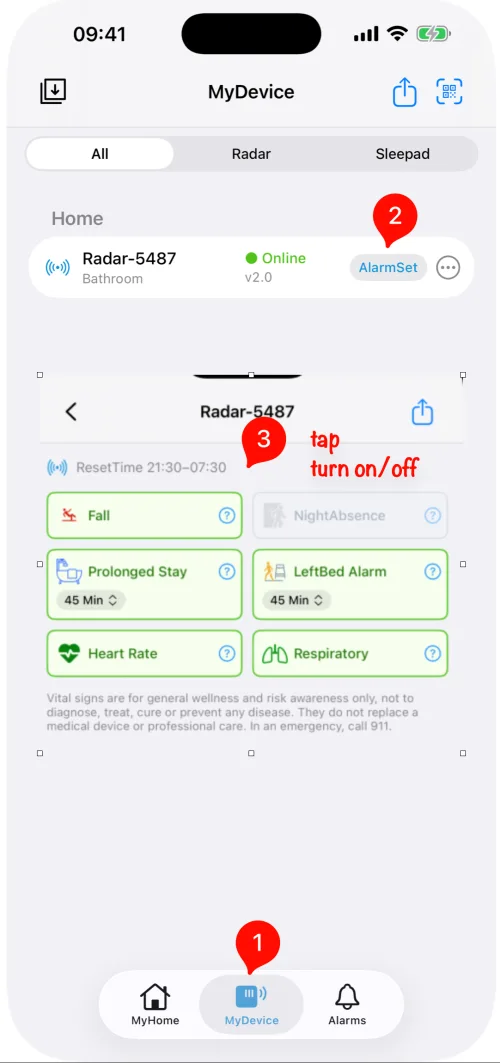
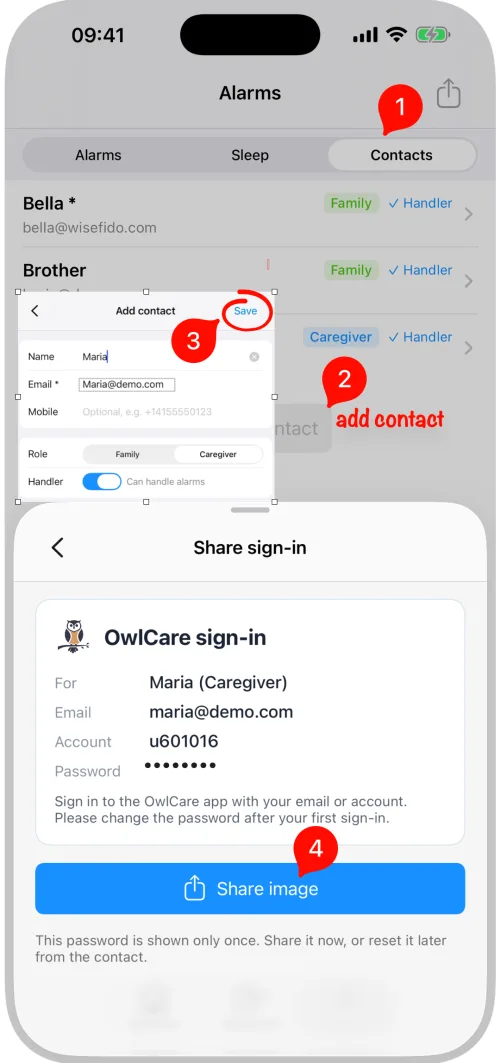
Troubleshooting
- bluetooth_searchingDevice not found
Plug it in, keep your phone right next to it, then tap Scan again.
- wifi_offStays offline
Check the Wi-Fi name and password, and use 2.4 GHz (5 GHz is not supported). To start Wi-Fi setup over, hold the radar button for 10 seconds.
- warningMount warning in the app
⚠ next to Wall or Ceiling means the radar is not seated in its bracket. Push it back in, level side to side.
- blur_onA "ghost" person or false alerts
Mirrors, curtains and fans can reflect radar. Sign in at pilot.wisefido.com on a computer, open the room layout and mark that spot as Curtain or Fan (interference). The radar ignores it from then on.
- petsPets
Large pets moving around can trigger alerts. Contact us and we will help you tune it.
Still need help?
Every WiseFido device has a 1-year warranty from the date of purchase.