Sleepad installation
Under the mattress, plug in, connect to Wi-Fi. No tools needed.
1Position on the bed
Place the pad 50–60 cm (20–24 in) from the headboard, centered across the bed, with at least 25 cm (10 in) free on both sides.
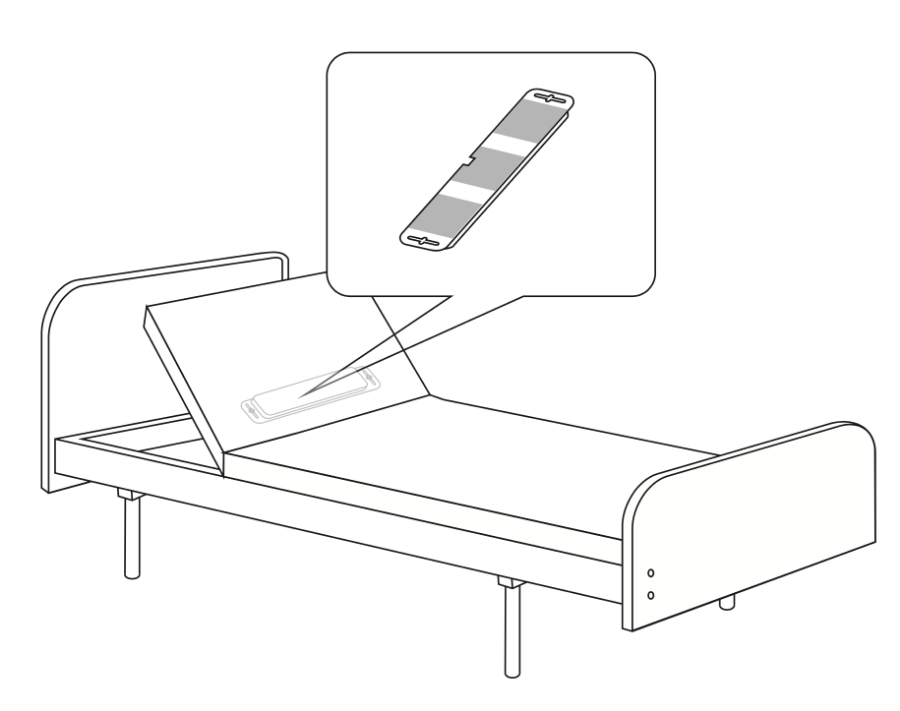
2Under the mattress
Lay the pad flat on the bed base, under the mattress. Stick its back to the base with the 3M tape so it does not slide.
Not for water beds or air mattresses.
3Connect the cables
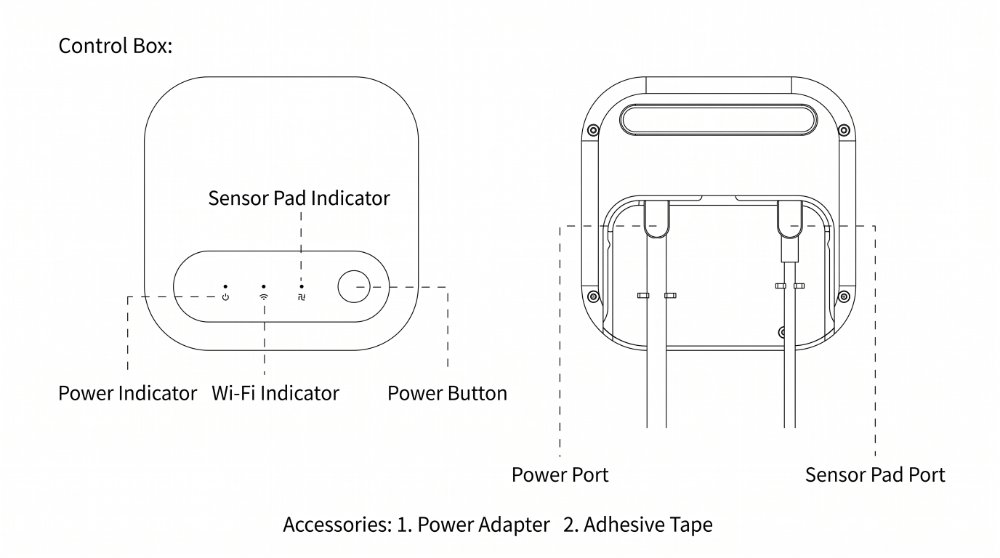
Plug the pad cable into the Sensor Pad port and the power adapter into the Power port, then plug the adapter into a wall socket.
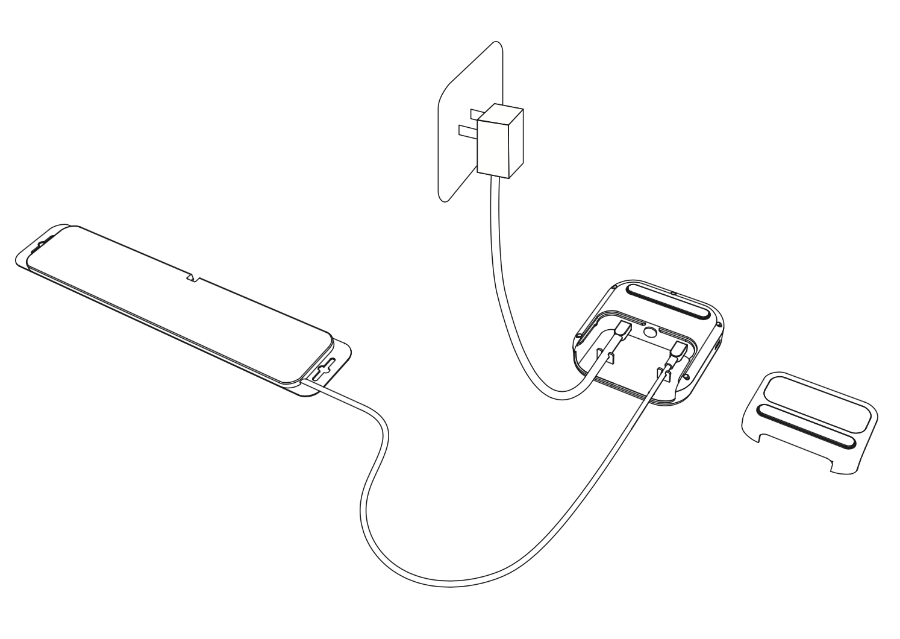
4Add it in owlCare


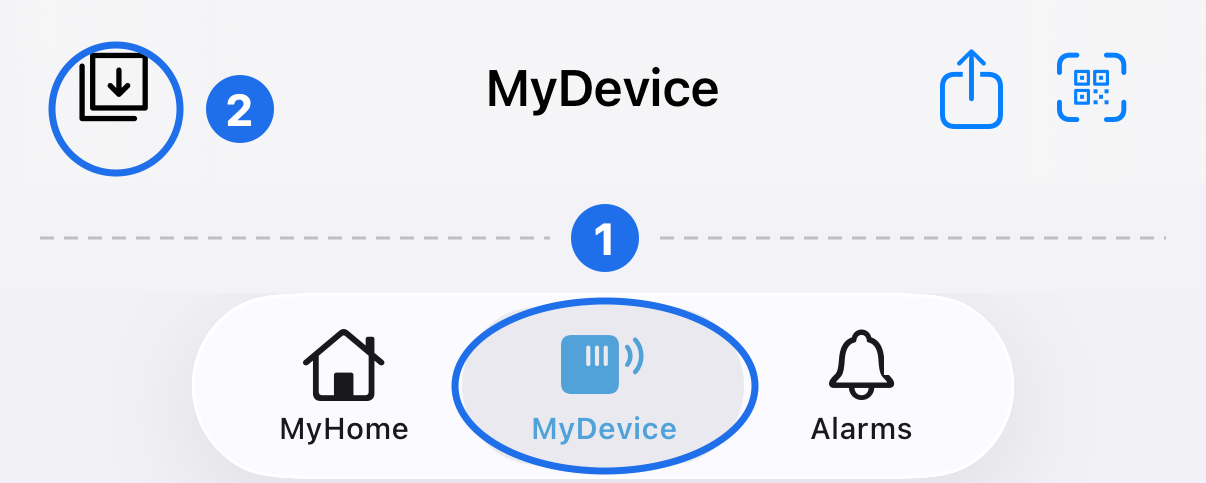
① MyDevice → ② Add device (top left) → Scan QR code (on the back of the control box) or Nearby (Bluetooth) → pick your device → enter your WiFi name and password → Connect → Choose location: the bed it is on.
2.4 GHz WiFi only. Keep your phone next to the device.
5Check the lights
- All lights off or not red: working.
- Wi-Fi light red: not connected to Wi-Fi. Repeat step 4.
- Wi-Fi light flashing red: Wi-Fi is fine but the server is unreachable. Check your internet.
- Sensor Pad (Link) light red: pad not connected. Re-seat the pad cable.
Safety & compliance
Not a medical device. It does not diagnose, treat or prevent any disease, and does not replace emergency services or personal care.
Warranty: 1 year from the date of purchase. Contact sales@wisefido.com.
⚠ WARNING: Cancer risk from exposure to lead. See www.P65Warnings.ca.gov.
Distributed by WiseFido LLC · 5171 Fox Meadow Dr, Highlands Ranch, CO 80130, USA · +1 (720) 694-0045 · Made in China
FCC ID: 2ADIOBM8701-2 · Model: BM8701-2
This device complies with Part 15 of the FCC Rules. Operation is subject to the following two conditions: (1) this device may not cause harmful interference, and (2) this device must accept any interference received, including interference that may cause undesired operation. Changes or modifications not expressly approved by the party responsible for compliance could void the user's authority to operate the equipment.
The device has been evaluated to meet general RF exposure requirement. The device can be used in portable exposure condition without restriction.