Radar installation
Mount it on the ceiling, a wall, or the top of a mirror or door frame — no drilling — then set it up in the owlCare app.
In the box
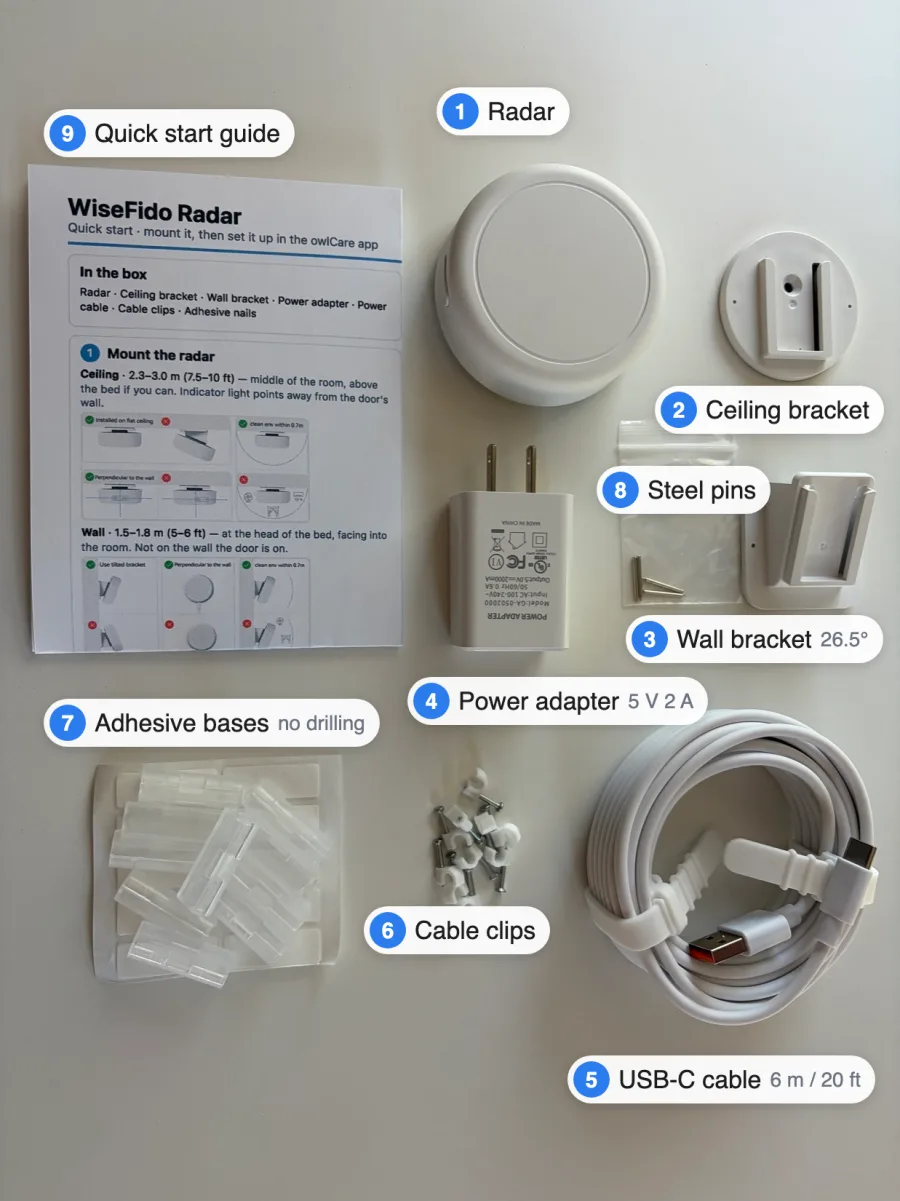
① Radar · ② Ceiling bracket · ③ Wall bracket · ④ Power adapter (5 V 2 A, 100–240 V) · ⑤ Power cable (USB-C, 6 m / 20 ft) · ⑥ Cable clips · ⑦ Adhesive bases · ⑧ Steel pins · ⑨ Quick start guide
⑦ + ⑧ hold the brackets without drilling: stick the base on, then push the pins through the bracket into the base.
1Mount the radar
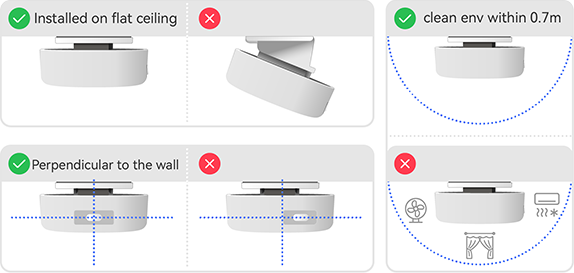
Middle of the room, above the bed if you can. Indicator light points away from the door's wall.
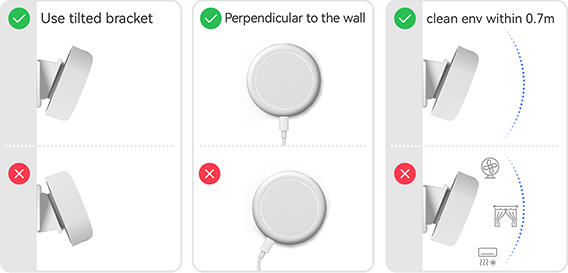
At the head of the bed, facing into the room. Not on the wall the door is on.
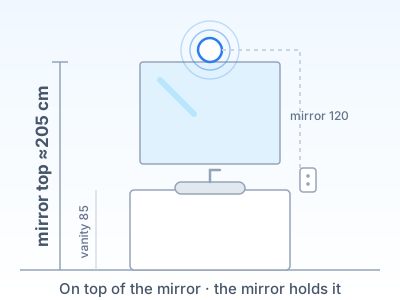
Bathroom
The mirror's top edge holds the bracket (standard vanity 85 cm + mirror 120 cm).
The top of the door frame holds the bracket, facing into the room.
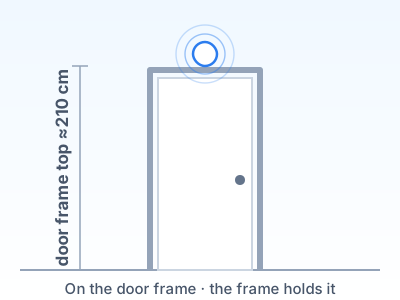
Bathroom: enter 210 cm in the app for either spot.
Height = from the floor to the surface the radar sits on (not the radar itself). The app uses 10 cm steps, so measure to within ±5 cm. Keep fans, A/C and curtains at least 1 m (3 ft) away, and heat lamps 50 cm (20 in) away.
2Add it in owlCare


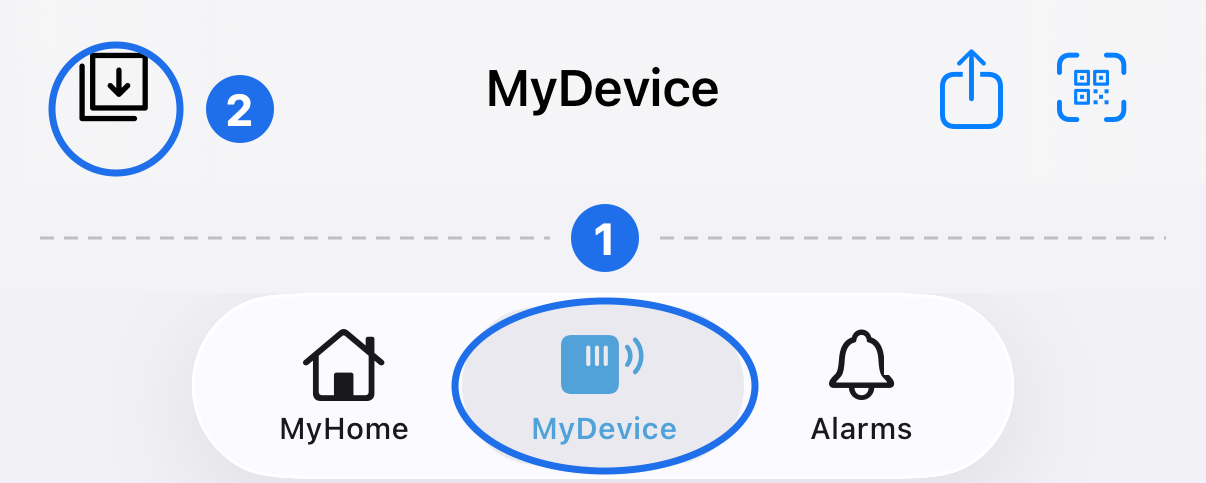
① MyDevice → ② Add device (top left) → Scan QR code (on the back of the radar) or Nearby (Bluetooth) → pick your device → enter your WiFi name and password → Connect → Choose location: the room it is in.
2.4 GHz WiFi only. Keep your phone next to the device.
3Set the install mode
Open MyHome → Build → tap your radar. On 1 Radar:
- Mode: Wall or Ceiling — how you mounted it.
- Height: the height from step 1 (bathroom: 210 cm). A green ✓ means it is in the recommended range.
- Any wall longer than 5 m? Tick Large Room.
- Tap Save.
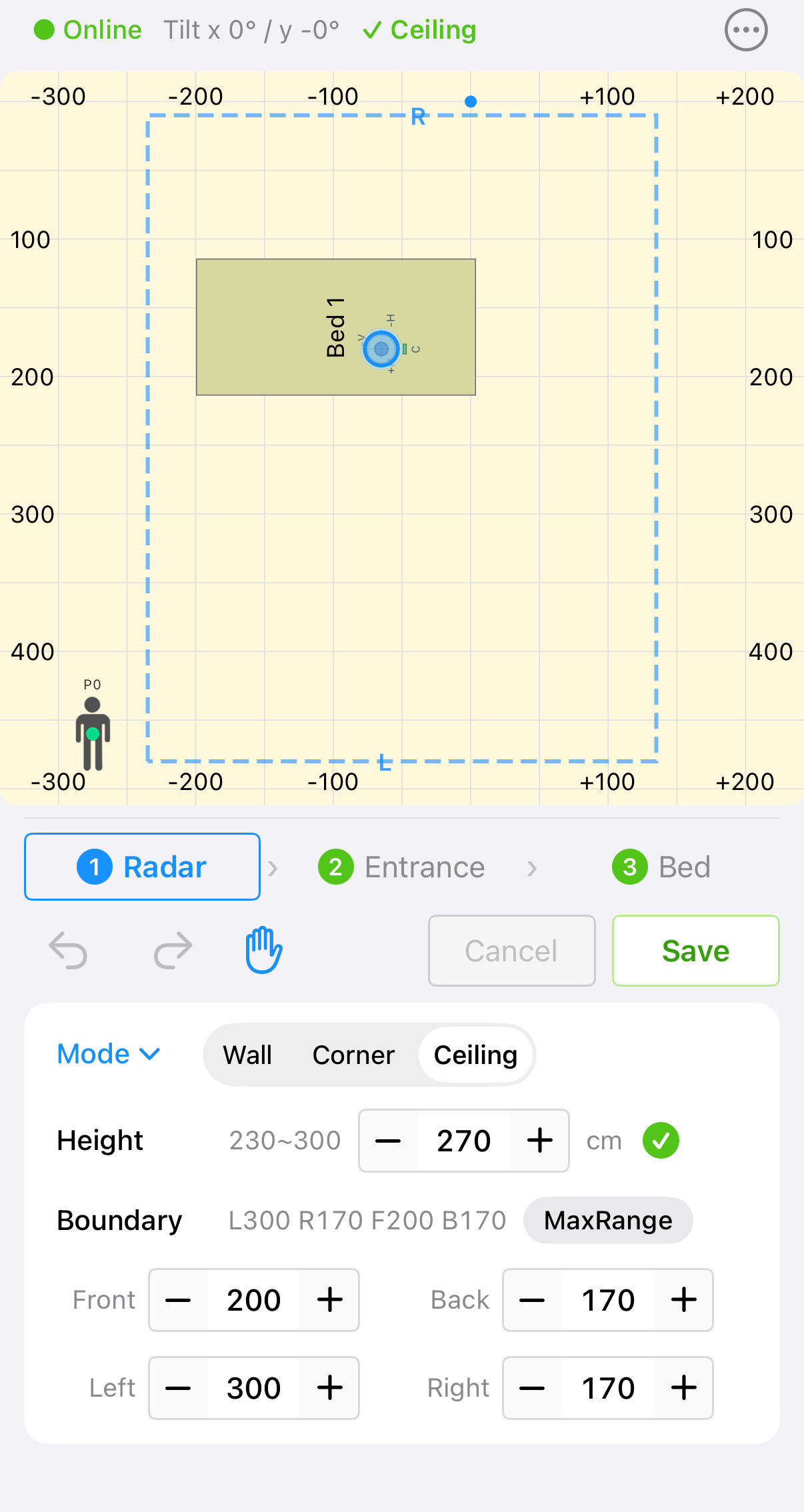
The top bar shows ✓ Wall or ✓ Ceiling. If it shows ⚠ or ✗, the radar is not seated in its bracket — push it back in.
4Mark the bed
The person on the map is you, live. Open 3 Bed:
- Tap Add.
- Walk to a corner of the bed and hold still. When you are on the corner, tap Detect.
- Do the same for the next 2 corners, then tap Save.
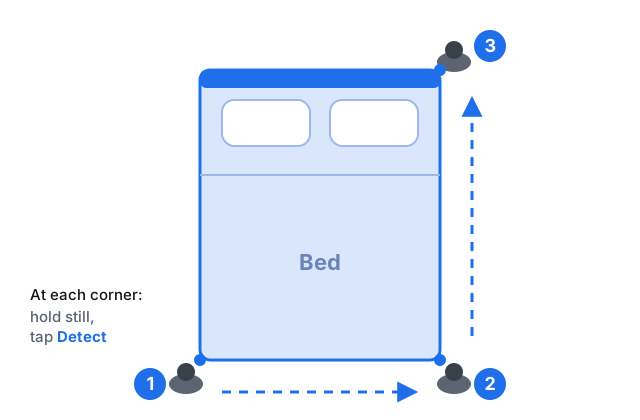
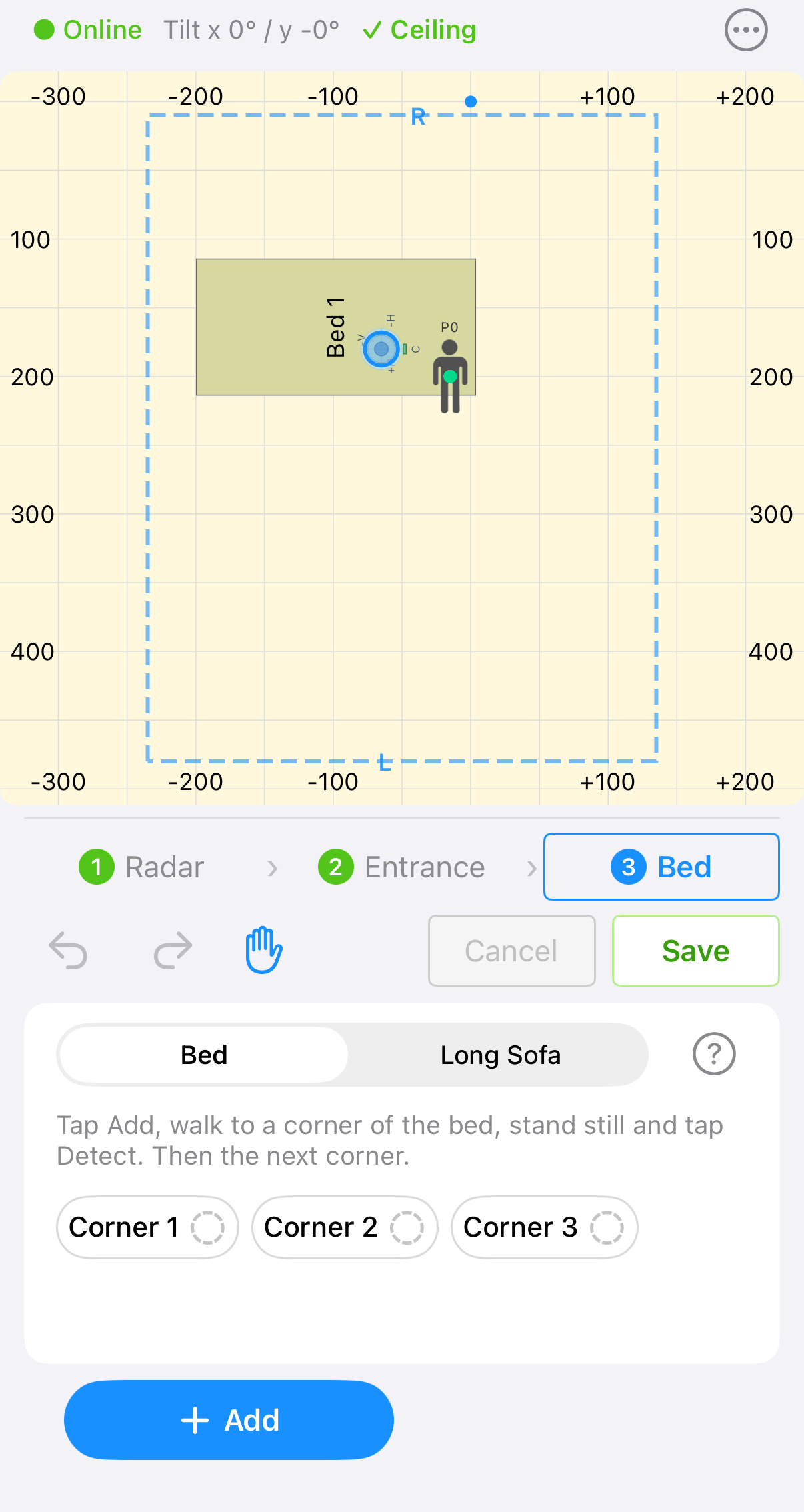
If the app says the corners don't make a right angle, tap Restart and measure again.
5Door and sofa Optional
- Door: the radar learns it by itself. To set it now, open 2 Entrance, tap Add, and stand at each side of the doorway the same way.
- Long sofa: in 3 Bed, choose Long Sofa, then sit on each end the same way.
6Check it works
- Lie on the bed. In about a minute, owlCare shows heart rate and breathing.
- Leave the room. The card changes to out of room.
- After a fall, owlCare alerts you after 60 seconds by default, so a quick stumble does not set it off. You can change this in the app.
Trouble?
- Radar not in the Nearby list: make sure it is plugged in and your phone is next to it, then tap Scan again.
- Stays offline after WiFi: check the WiFi name and password, and that it is a 2.4 GHz network. Then set up WiFi again.
- Start WiFi setup over: hold the button on the radar for 10 seconds.
Safety & compliance
Not a medical device. It does not diagnose, treat or prevent any disease, and does not replace emergency services or personal care.
Warranty: 1 year from the date of purchase. Contact sales@wisefido.com.
⚠ WARNING: Cancer risk from exposure to lead. See www.P65Warnings.ca.gov.
Distributed by WiseFido LLC · 5171 Fox Meadow Dr, Highlands Ranch, CO 80130, USA · +1 (720) 694-0045 · Made in China
FCC ID: 2BD97HC2 · AI Care Sensor · Grantee: TsingLan Technology (Shenzhen) Co., Ltd
RF exposure: This equipment complies with FCC radiation exposure limits set forth for an uncontrolled environment. It should be installed and operated with a minimum distance of 20 cm (8 in) between the radiator and your body.
This device complies with Part 15 of the FCC Rules. Operation is subject to the following two conditions: (1) this device may not cause harmful interference, and (2) this device must accept any interference received, including interference that may cause undesired operation. Changes or modifications not expressly approved by the party responsible for compliance could void the user's authority to operate the equipment.