

Tap a button below to hear this fall.
A fall we staged in our test bathroom. The 20-second record is the sensor's real recording; the voices are actors.
WiseFido sensors watch over the bedroom and the bathroom. The owlCare app tells everyone who cares the moment something is wrong.
✕ Cameras ✕ Wearables ✕ IT setup ✓ Privacy ✓ US-hosted data
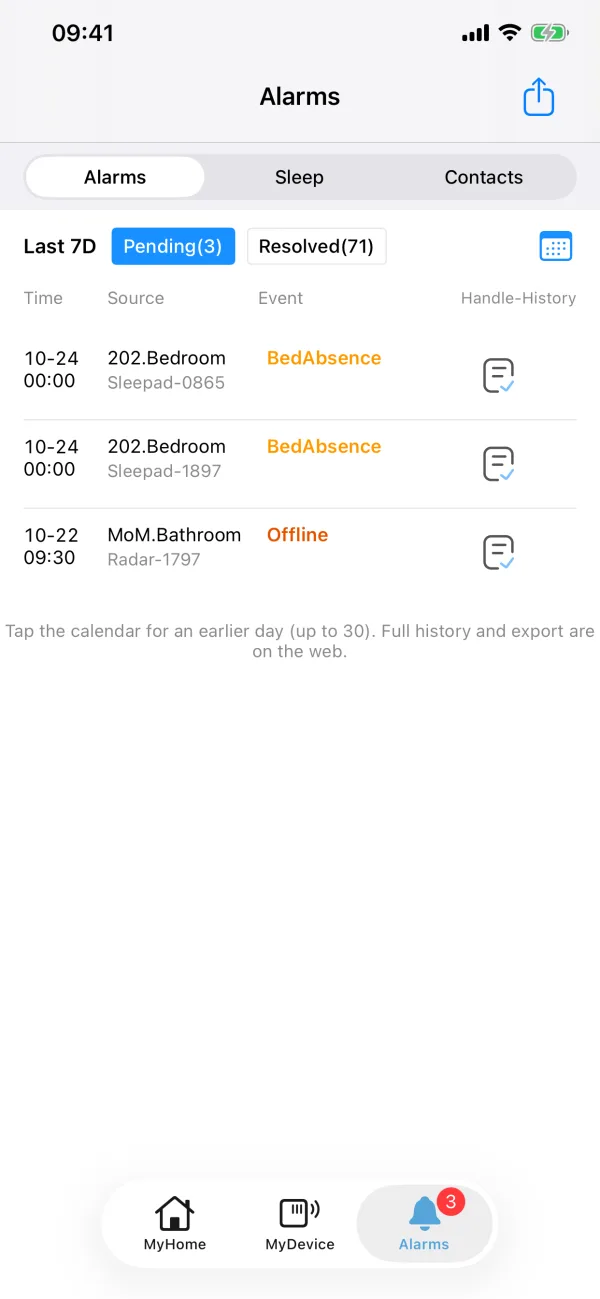
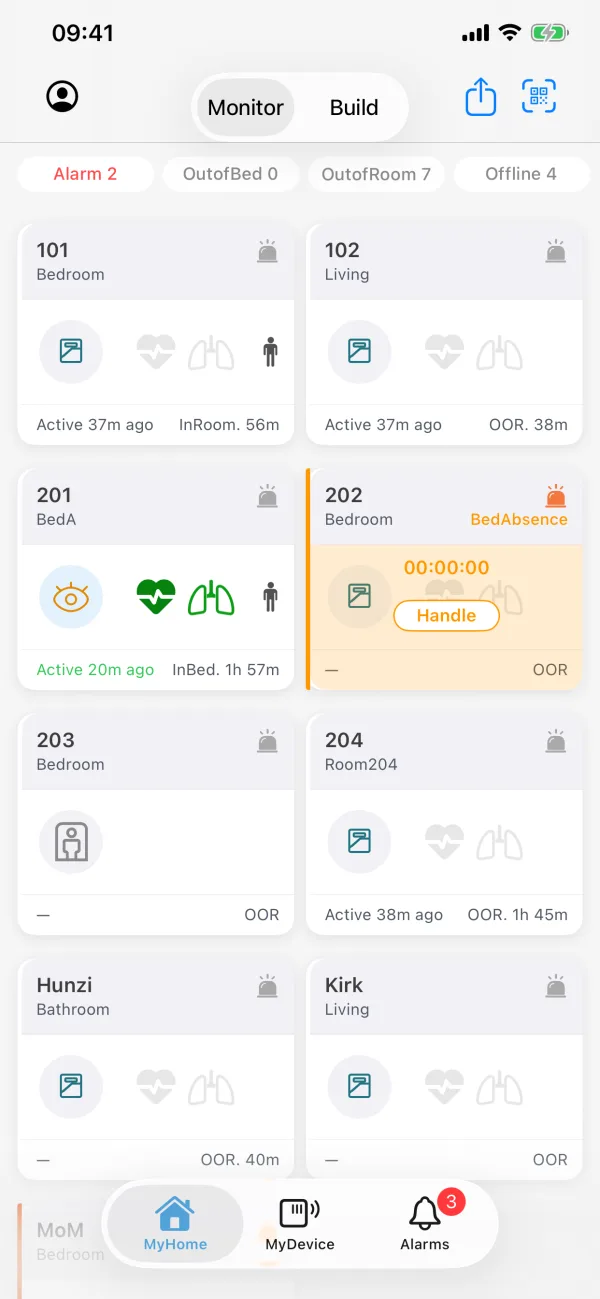
Imagine your mom alone in the bathroom, on the floor, her phone in the other room. owlCare is how the whole family finds out — about a minute later, not the next morning.
About 60 seconds after a fall — long enough to filter a stumble — every iPhone, Apple Watch and Android in the family lights up. An email goes out too, with a link to see the alert.
After a possible fall, it asks out loud. A “help” — or a knock on the floor — marks the alert “Fell and needs help.” Turn it on in the app.
While an alert is open, talk with them through the sensor. Calls aren’t recorded. Outside a possible fall or a call you start, no sound leaves the sensor.
Invite family and every caregiver, each with their own account. The same alert reaches all of them at once — no one is the only one who knows.
Steam, water, no camera. It tells a normal shower from someone who’s gone quiet too long, and flags long bathroom stays.
Each room learns its own bed, sofa and sink. Add a sleep pad and the two double-check each other — fewer false alarms at midnight.
If they leave the bedroom at night, you hear about it — before the morning call that starts with “guess what happened.”
Twenty seconds of sound around the fall, saved for replay. Confirm once in the app to start; turn it off anytime.
On site, staff tap what they found — awake, on the floor, can stand. No typing, and everyone sees who handled it.
If a sensor loses power or Wi-Fi, you get notified. No wondering whether “quiet” means “fine” or “offline.”
See if anyone visited. It counts people, never who they are.
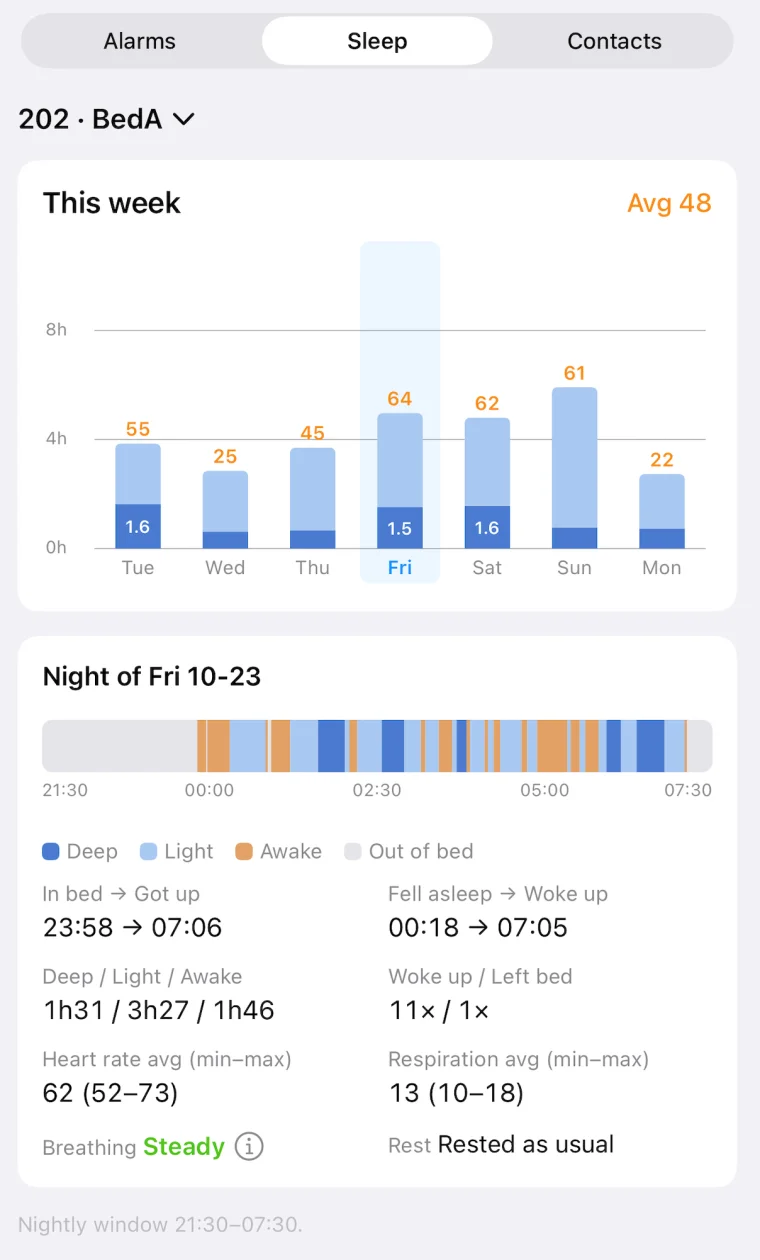
The nightly sleep report, including breathing and heart rate during sleep. Nothing to wear, nothing to charge.
Not a medical device. Not a substitute for 911.

Get the alert, see what happened, and check the week's sleep — all in owlCare.
Tap a button below to hear this fall.
A fall we staged in our test bathroom. The 20-second record is the sensor's real recording; the voices are actors.
Pick your sensors, plug them in, and set them up in the app.